OmniLume Reel 0.3.2 User Manual
OmniLume Reel is a desktop video-material workspace for organizing, indexing, and reusing large collections of scattered local footage. It brings local videos, platform search results, and video links into one analysis and indexing flow, then creates semantically searchable scenes, tags, notes, and exportable clips so you can find the footage you need with natural language.
This manual applies to version 0.3.2. Documentation URLs keep the version number so future releases can coexist:
https://doc.omnilume.app/0.3.2/
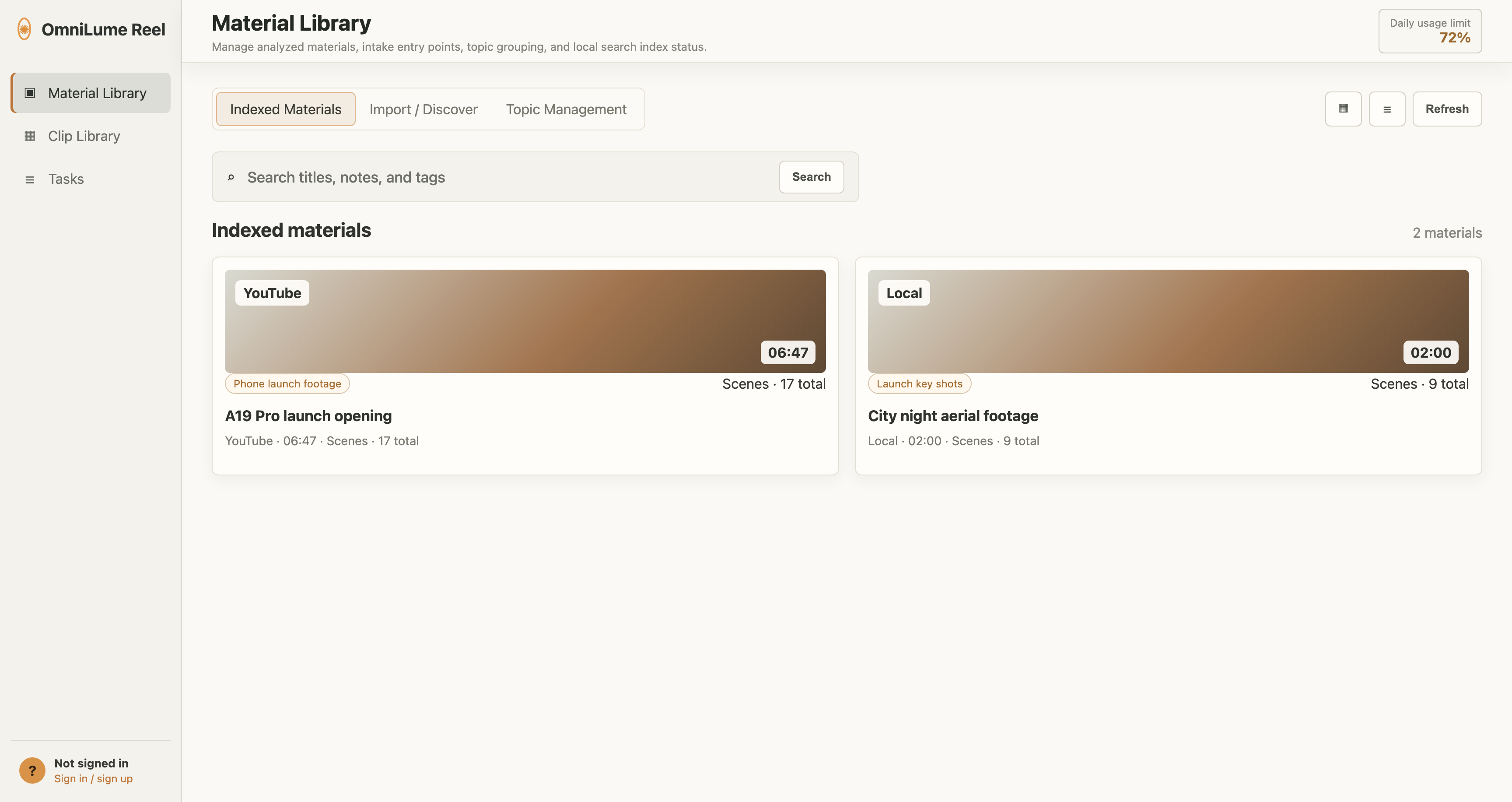
Screenshots use the OmniLume Reel 0.3.2 English interface and sample data. Button positions, page structure, and workflows match the desktop client.
What you can do with it
- Select local video files and let the app analyze and index them automatically.
- Paste YouTube, Bilibili, and other video links, probe them first, then import them for analysis.
- Search enabled video platforms with keywords such as "city night view", "phone review", or "cooking tutorial".
- Group analyzed videos by topic, then filter scene search by topic.
- Search scenes with natural-language descriptions such as "late-night city neon" or "speaker showing a chip".
- Collect scenes on the Clip Board, adopt them into Clip Collections, and export them for editing or review workflows.
- Inspect task download and analysis logs, then retry failed tasks from their original input.
Core concepts
Material means a video record imported or downloaded into the app. It may come from a local file, a platform search result, or a URL.
Indexed material means a video that has finished analysis and has been written to the local search index. It includes title, channel, duration, thumbnail, scene list, tags, notes, and playback state.
Scene means a time segment produced by analysis. Each scene has start and end times, a visual description, keywords, and a thumbnail. Scenes can be searched, previewed, collected, and exported.
Clip Board is the temporary list of scenes collected from scene search results. It is useful for quick selection, batch export, or moving clips into a collection.
Clip Collection is a project- or theme-oriented group of clips, such as "Product launch B-roll", "Selected Romance of the Three Kingdoms scenes", or "Course sample footage".
Topic organizes indexed materials, such as "phone reviews", "city promo film", or "interview footage". Scene search can filter by topic to reduce irrelevant results.
Main pages
- Material Library: View indexed materials, import local videos, discover online materials, import platform links, and manage topics.
- Clip Library: Manage the Clip Board, Clip Collections, and Scene Search.
- Tasks: View real-time status and logs for import, download, analysis, and indexing.
- Settings: Configure language, theme, storage, platform sources, download quality, analysis parameters, updates, and product information.
Recommended reading order
- Start with Install and Linux Support to choose the right installer for your system.
- Continue with Quick Start to finish first-run setup and analyze your first video.
- Read Material Library and Clip Library to understand import, search, collection, and export workflows.
- If something fails or gets stuck, check Tasks and Troubleshooting.